BASIC cURL

Everyone doom scrolls these days, but not many know what’s going on behind the scenes or how you can see behind the scenes of those pretty webpages. Just like in Instagram or WhatsApp where you have conversations, the same thing happens between computers. Let me explain it to you.
When you browse the web, it’s like having a conversation with other computers, and to understand how curl works, we need to understand the participation on the other side of the conversation.
Server
Before talking about curl, we need to know about servers. In simple terms, a server is a computer that 'serves' information, while your phone or PC is a client (the one doing the doom scrolling). A server sits in a datacenter in another country, waiting for your requests.
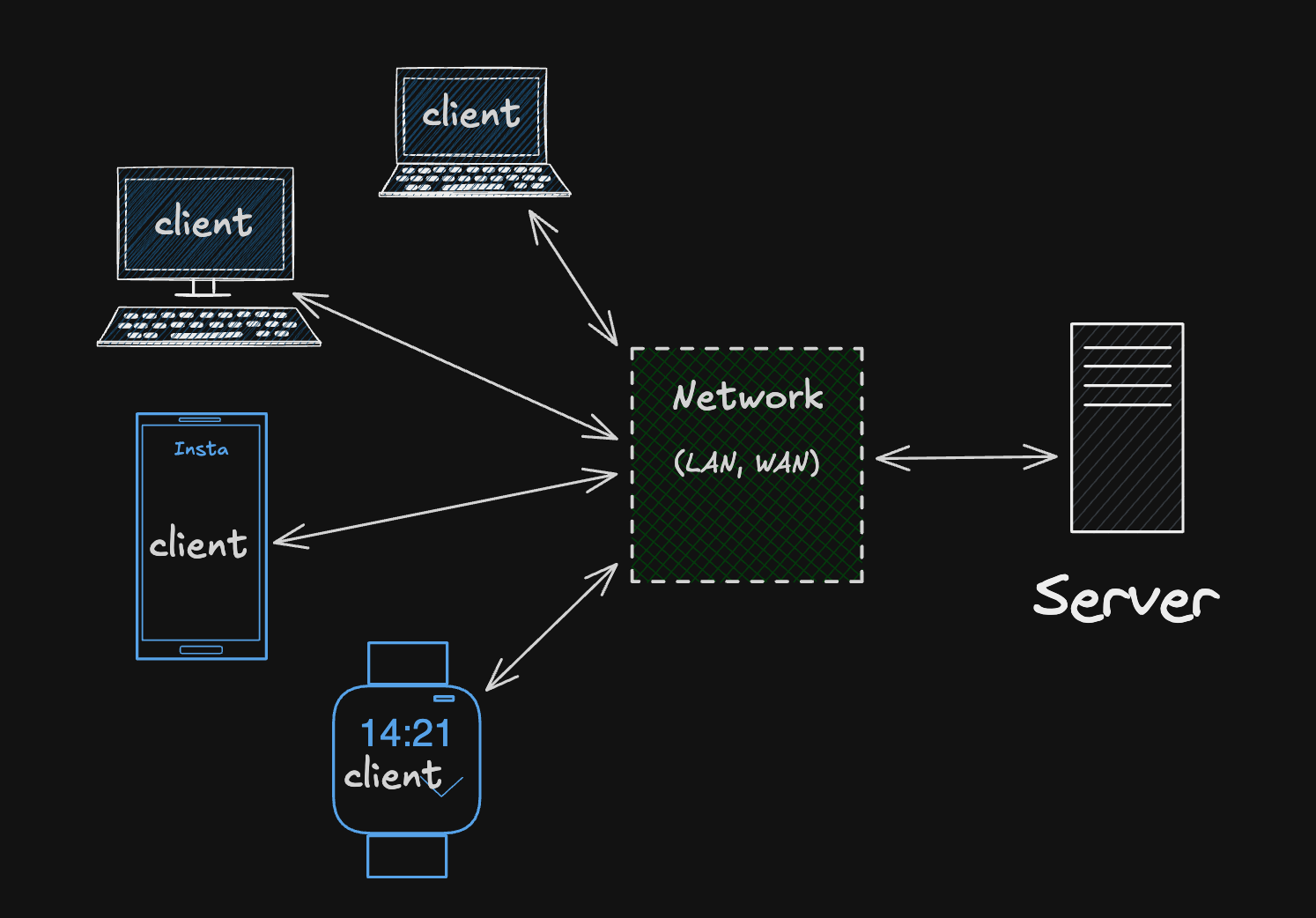
Why do we talk to server ?
We need to talk to the servers because they hold the resources, the information we need, like files and database records and when you try to visit any site it’s like you’re asking the server for a specific file.
Client URL (cURL)
Think of cURL as your dabbawala, instead of going to a fancy restaurant (Browsers) for fancy food with music and AC, the cURL (dabbawala) just delivers the food (data) to your doorstep. He doesn’t care what’s inside the tiffin (data), he just delivers it to you straight from the kitchen(server).
He's fast, precise, and essential for hostel boys (developers), not heavy on the pocket like a fancy restaurant. This means instead of using heavy browsers like Chrome or Brave to talk to the server, you can just use your terminal because it lets you see exactly what the server is saying without any styling/CSS applied.
Let’s explore cURL
To fetch any webpage, open your terminal and simply type curl followed by the domain address :
curl https://chaicode.com
You see a wall of text (HTML code). This is the "raw" message that the server sends back and the browser would take this code and turn it into a pretty page, but cURL shows you the truth.
Why need cURL ?
Yeah not everyone needs to explore curl, a browser is designed for humans to look at text and images, but programmers need cURL because it’s like a no nonsense page for them, it’s the ultimate tool for interacting with the web. cURL is designed for developers only, to work with data and to know what’s going on. Developers uses curl for :
Debug - When a website isn’t working or like if you join the first quiz on the masterji and you were seeing a ‘loading screen’ or a generic error page but Hitesh sir and their team (developers) seeing the raw (HTML or JSON),status codes like 200 or 404.
APIs - developers use cURL to send quick requests to specific APIs, to see if the database is working or not, because modern sites are not just one big file, they are collection of APIs talking to each other. It’s much faster to run a one-line command in the terminal to check if the database is working or not.
There are many more reasons developers use cURL because it’s very handy fo automation like if we need scripts, it is fast as hell because it doesn’t need 16GB of RAM to run and it’s comes pre-installed on every OS.
Response
When a server responds, it doesn't just give you data; it also provides a status code to tell you how the request went.These response status codes indicate whether a specific HTTP request has been successfully completed. Responses are grouped in five classes:
Informational responses (
100–199)Successful responses (
200-299)Redirection messages (
300-399)Client error responses (
400-499)Server error responses (
500-599)
Let's try to understand some responses with some commands :
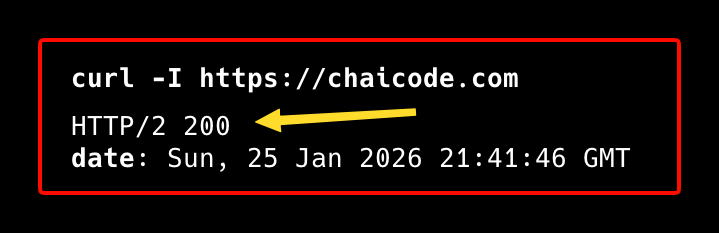
200 OK - That means server found what you wanted.
curl -I https://chaicode.com
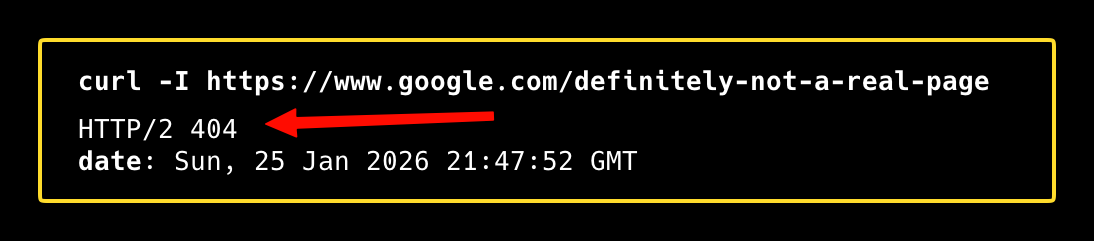
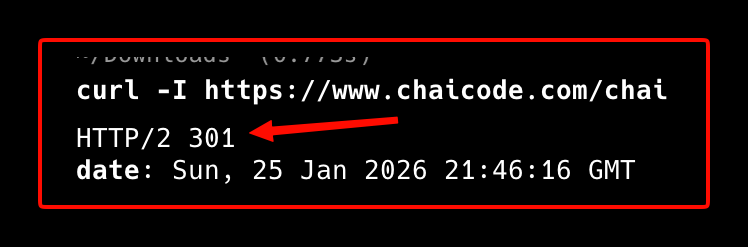
- 404 Not Found - It's rare to get a 404 error in the modern era. Big websites like Google don't want to just slam the door in your face with a 404 error. Instead, they try to help and redirect you to the correct URL or a 'Home page,' which results in a 301 or 302 error.
There are many response that you learn from this article Status Code.
Using cURL to talk to APIs
Using cURL to talk to APIs is where curl shows off its skills. When you use cURL to talk to APIs, it means you’re moving away from requesting documents like HTML and instead requesting structured data. Most modern APIs use JSON (JavaScript Object Notation) because it’s lightweight and easy for machines to parse.
GET and POST
There are many ways to talk to the server but let’s talk about these two :
GET - This is the default response, when you run curl https://chaicode.com, that means you’re using the GET request to get the information.
POST - This request method is used to send data to the server. The format of a POST request with curl is curl -X POST [options] [URL].
GET and POST are the most popular ways to talk to APIs, but cURL is designed to handle many types of requests like PUT, DELETE, and many more.
By using cURL, you stop treating the internet like a ‘magic’ and start seeing it as a series of clear REQUEST and RESPONSE.


